Objective
Dynamic flight plans are flight plans that are decided in run time (during the flight) by an on-board computer, that can receive information from on-board devices (camera, sensors, etc.) and
change the course of action.
Part 1
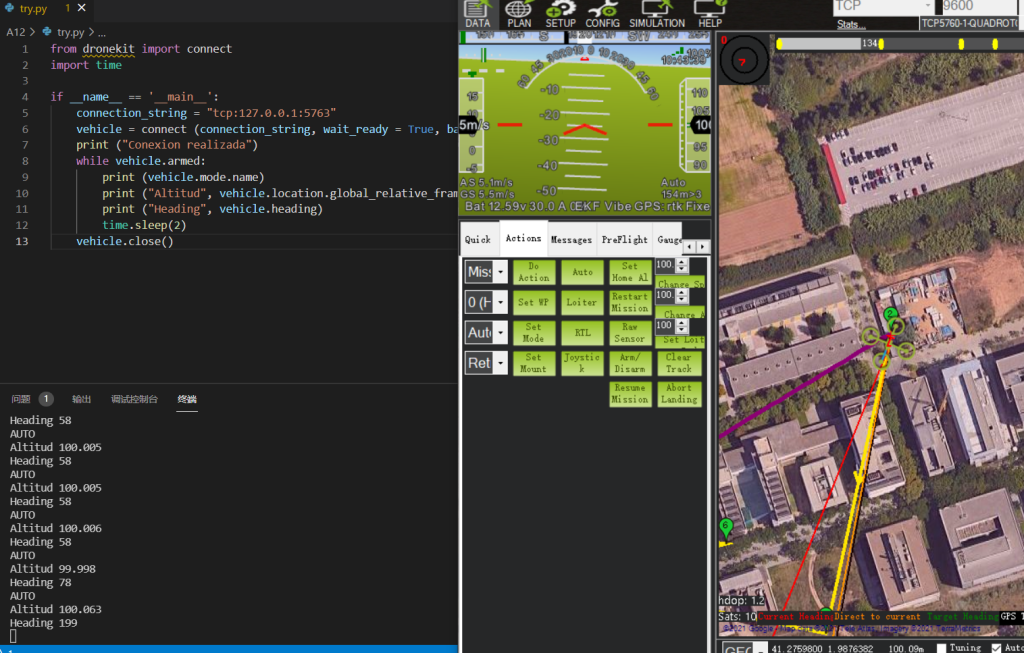
Start with recording the drone’s information like altitude and heading.
The idea of the code is that: first thing, we need to find a way to “connect” to the drone so that we can access its information. Luckily, with the python package dronekit, we can easily connect to the simulation. The local simulation has an IP address that we can access. Later, determine whether the drone is armed, if so, record its information.
First, start the simulation and let the drone fly. Then, run the program, we can notice some printings on the terminal, they’re what we need.
Part 2
Can we define a drone plan in the mission planner and use any coding to do anything else? Yes!!.
The following code defines how to arm and take off action
def arm_and_takeoff(aTargetAltitude):
    """
    Arms vehicle and fly to aTargetAltitude.
    """
    print("Basic pre-arm checks")
    # Don't try to arm until autopilot is ready
    while not vehicle.is_armable:
        print(" Waiting for vehicle to initialise...")
        time.sleep(1)
    print("Arming motors")
    # Copter should arm in GUIDED mode
    vehicle.mode = VehicleMode("GUIDED")
    vehicle.armed = True
    # Confirm vehicle armed before attempting to take off
    while not vehicle.armed:
        print(" Waiting for arming...")
        time.sleep(1)
    print("Taking off!")
    vehicle.simple_takeoff(aTargetAltitude) # Take off to target altitude
    # Wait until the vehicle reaches a safe height before processing the goto
    # (otherwise the command after Vehicle.simple_takeoff will execute
    # immediately).
    while True:
        print(" Altitude: ", vehicle.location.global_relative_frame.alt)
        # Break and return from function just below target altitude.
        if vehicle.location.global_relative_frame.alt>=aTargetAltitude * 0.95:
            print("Reached target altitude")
            break
        time.sleep(1)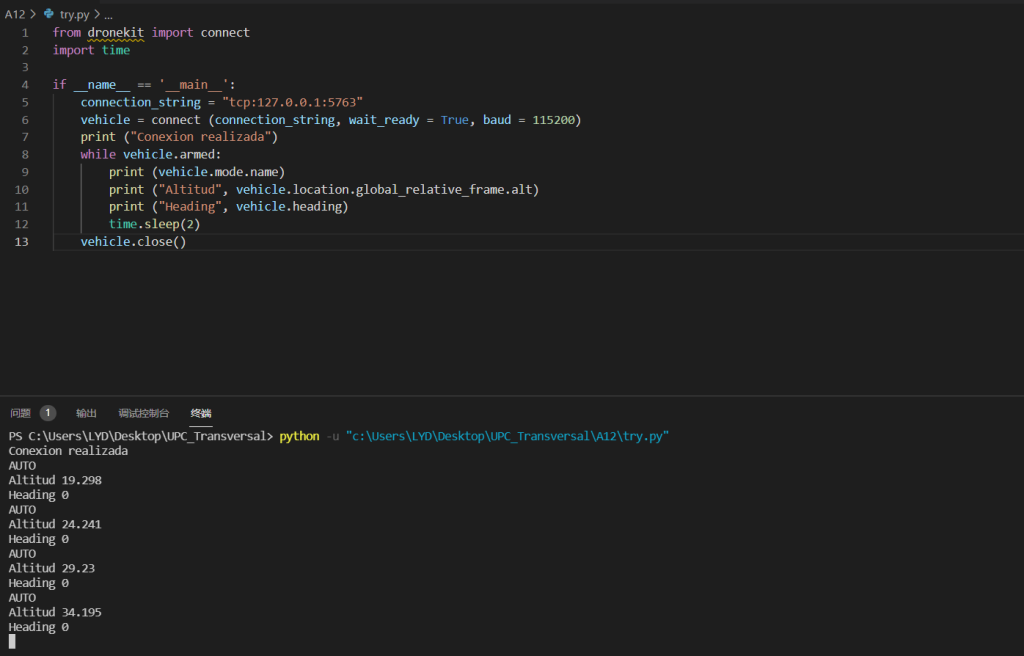
All those actions are defined in the dronekit. Moreover, we can print each waypoint information when drone arrives at exact point, the result is like that:
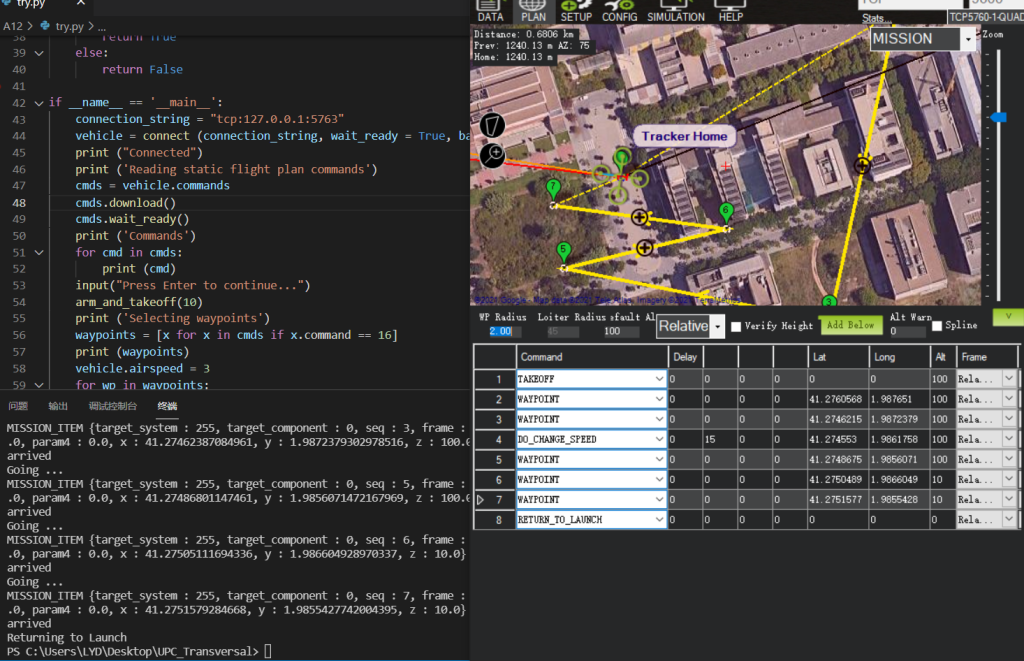
every point in the mission planner is printed by the python script.
The next part is to try a real drone instead of a simulation.