Radio system is what makes RC communication between drone and remote controller. Transmitter transmits radio signal to the receiver. Both are digitally bound to each other in 2.4 GHz system. Transmitter and receiver need their own sources of power. It does not matter which channel on the receiver the power is supplied to. There are also different channels which is how the transmitter tells the receiver to do different things. For example: If I plug a servo motor into channel 1, the physical level of the joystick on the transmitter tells the servo to move while no other controls have an effect. I can plug any component into any channel. This could be a joystick or a knob or even a switch which corresponds to one channel on the receiver.
On our “TARANIS” system, controls that linked to the receiver channels go like channel 1 – Thr (Vertical movement of left-side stick), channel 2 – Ail (Horizontal movement of right-side stick ), channel 3 – Ele (Vertical movement of the right-side stick), channel 4 – Rud (Horizontal movement of left-sie stick), channel 5: SC switch.
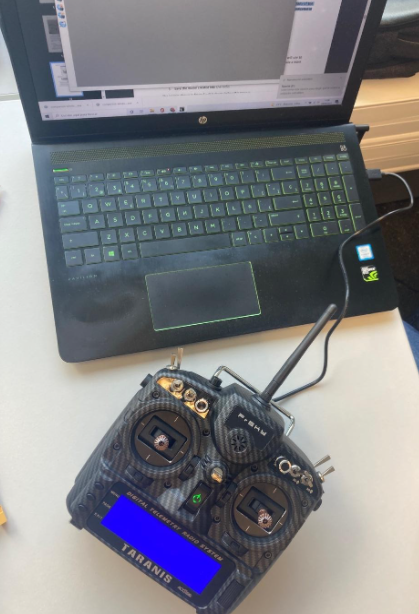
There are two main ways to tune the radio settings. The first one is that we use the USB cable between radio transmitter and then we do the configuration in a computer by using “OpenTX” application. Second option is to configure the radio settings on the radio transmitter itself. In this project, our team used mostly the second one for the radio configuration.
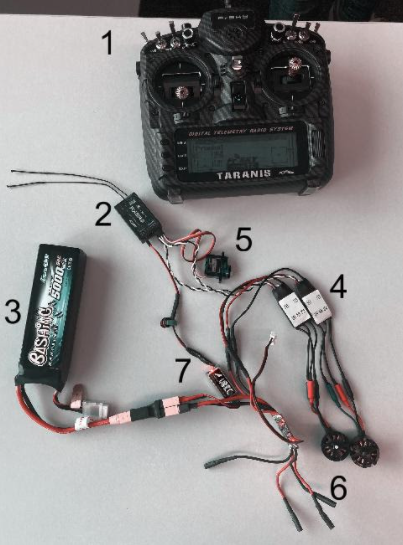
To configure and test the radio communication, we need the components illustrated in Figure 1, and must connect them as so. The battery produces a nominal 11.1V and it gets connected right into the ESC. ESC uses signal from the receiver to tell it how fast to make the motor go. Therefore, the nominal 11.1V goes to ESC and the ESC produces 0 – 11.1V (with PWM ) to control the speed of the motors.
0 Comments